8 Reasons to Switch to an Instagram Business Account

When you first created your Instagram account, chances are that you created it as a personal account. That’s the default, and if you didn’t know any better or didn’t think about it, your account has probably stayed that way. But now you’re using Instagram for business. It has fully become a tool for you, and it’s time to think about it that way. Have you ever considered changing to an Instagram business account?
Making The Switch
Instagram calls business and creator accounts “professional accounts.” It’s very easy to switch from personal to business – it just takes a few taps, and you can switch back or change your account type at any time. By having and using a business account, you’ll have access to more features that help you create an excellent user experience for your Instagram followers.
If you haven’t already made the switch to an Instagram business account, we have eight great reasons that will motivate you to make the change today.
{{blog-cta-section}}
Why You Should Switch to an Instagram Business Account
1. Access to Instagram Insights
You probably already know the importance of analytics when it comes to social media. With this information, you can understand what your audience likes, what they don’t want to see anymore, and whether or not you’re hitting your Instagram engagement goals. You can’t measure something if you don’t track the data, and Instagram insights helps you do just that. By having an Instagram business account, you’ll get access to detailed data about your followers and their actions, along with a professional dashboard where you can track your performance and find Instagram’s professional tools.
You’ll be able to see how your followers are interacting with your content, which in turn helps you plan for future content. With these insights, you can also increase your overall engagement rate. Because you’ll know which types of posts are creating the most engagement, you can create more of those for future posts. Your Instagram engagement rate is really important for social credibility and if you want to do collaborations. (As a side note, this is why you want to make sure you have real Instagram followers – fake followers won’t engage!)
With the insights tool, you can also see which posts had the most reach. By analyzing this information you can help your account grow faster. Maybe you see that posts where you used a particular hashtag have a much higher reach. Or perhaps posts where you tag other brands are seen by more people. When you’re using Instagram for business, analytics are golden.
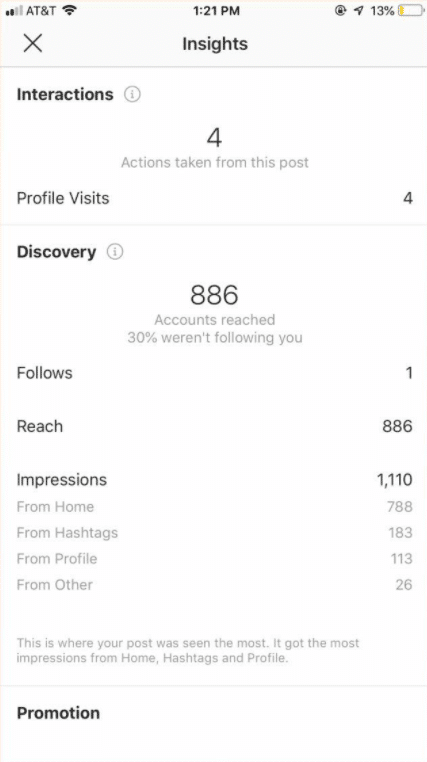
You’ll also be able to learn about your audience. While tracking your Instagram engagement and popular posts are certainly important, it’s also helpful to know who your audience is. Even if you know your ideal client avatar, it’s important to analyze who is actually following you on Instagram. You might find out that a significant amount of your Instagram followers are younger than your target customer. With this information, you can craft content that better meets their needs. Instagram insights also shows you what times of day your followers are online, which can help you plan your posting schedule.
2. Add Information About Your Business
Did you know that Instagram uses SEO, just like your website? If you didn’t, now is a really good time to listen closely. You have the chance to optimize the information you include on your profile to better reach people who are searching for your keywords in the app. You can optimize your username, your bio, photos, and so much more. Side note, you can still do that even on a personal profile.
With Instagram for business, you have access to more fields to provide your followers and potential customers with all of the information they could possibly need about your business. For example, you can include your business’s location so that people who visit your profile can easily find your address and visit you.
An Instagram business account also lets you add a Contact button near the top of your profile, with directions, a phone number, and an email address. This helps your profile visitors more easily reach out to you, decreasing the barriers to entry and encouraging them to become customers. It might sound simple, but adding these pieces of information is one of the strongest Instagram business tools available.
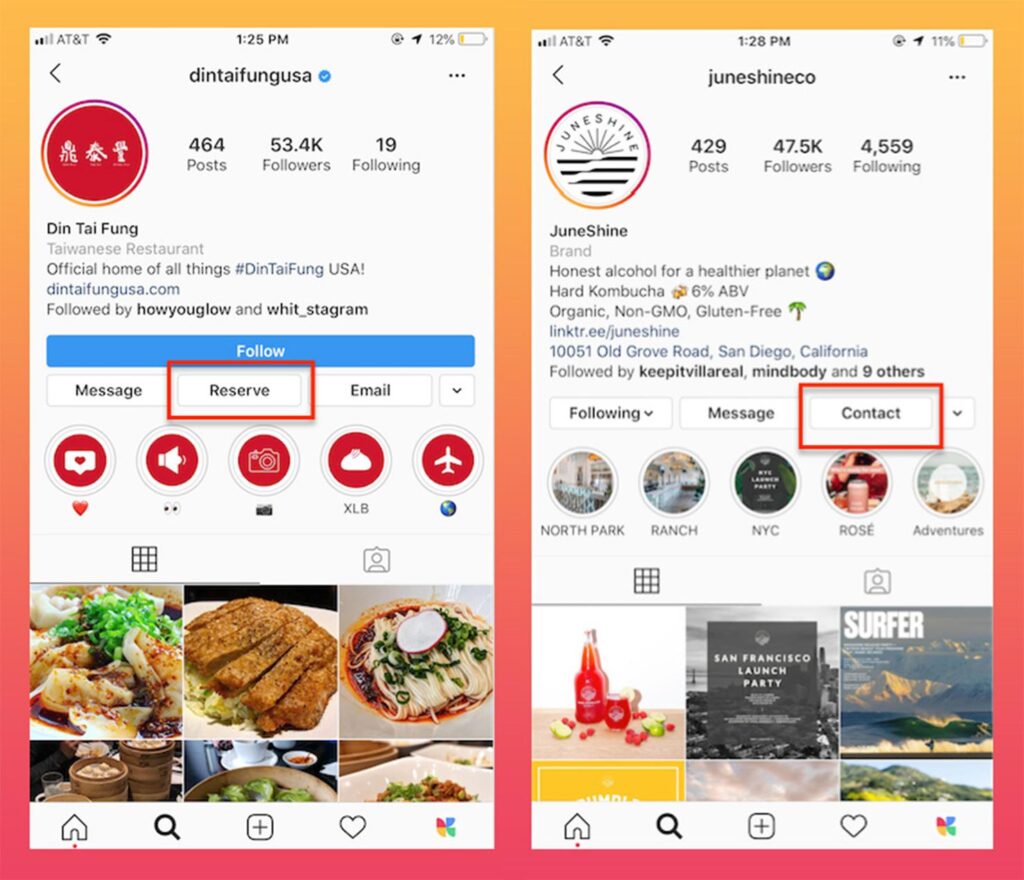
You’ll also be able to show a category, like “copywriter” or “graphic designer,” directly below your profile photo, which personal profiles can’t do. It tells visitors at a glance what you do, and together with your name, username, and bio it supports your Instagram SEO. Public posts and Reels from professional accounts may also appear in search engine results. The easier you can make it for people to find your account, the better it is for your business.
Watch this video on why should make the switch to an Instagram Business Account
3. Show Paid Partnerships Easily
If your brand often, or even occasionally, participates in paid partnerships with various brands, this can be an incredibly helpful feature. When you get paid in any form for a post, including gifted products or free trips, Instagram requires you to add a Paid Partnership label. This way users who view the post are aware that it’s an ad and can view it as such. So many people use Instagram for business that it’s important to make these distinctions.
With a professional account, there’s an easy option to add a “Paid partnership with” label naming the brand at the top of your posts, Reels, or Stories. This makes it very clear to users, brands, and Instagram that a particular post is paid for by a particular brand. There’s no longer a need to read through the caption to see if the influencer used #ad, #sponsored, #partner or any other hashtag that would indicate that they are being paid for this post.

You might be thinking that only the influencer who’s posting the sponsored content needs to worry about this feature, but that’s not the case. Brands benefit too: once the creator gives permission, the brand can promote the branded content post as an ad and reach even more people. Both partners can then look at the results and discuss how to improve, if necessary.
{{blog-cta-section}}
4. Add Links to Your Stories
Links in Stories used to be a perk for verified accounts and accounts with more than 10,000 followers, through the old swipe-up feature. Since October 2021, Instagram has let all accounts add links to Stories with the link sticker, except new accounts and accounts that repeatedly break the Community Guidelines (source). So it’s no longer a business-only feature, but it’s one of the most useful tools for businesses and brands.
Instagram was once notorious for keeping users within the app, with just one link in your bio. With the link sticker, you can turn any Instagram story into a direct call-to-action that points people to a website, article, or product.
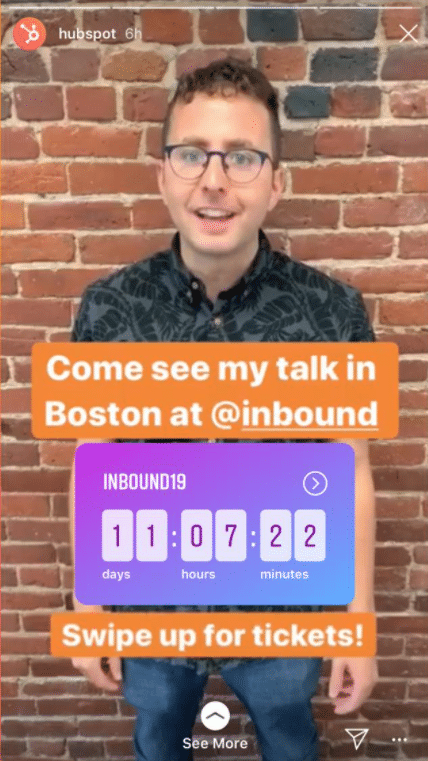
The link sticker is one of our favorite Instagram business tools, and with a business account you can see how your Stories perform in your insights.
It also helps your business outside of the app. Your Instagram followers can now easily visit your website whenever you direct them there. Make sure you create a specific call-to-action and link to a page that fully meets their needs. You don’t want to send them to a generic page instead of a particular product you’re promoting. With the link sticker, you’ll be able to link your followers to your products, thereby most likely increasing your sales and website traffic.
5. Schedule and Post from a Desktop Computer
Do you use third-party Instagram business tools? You probably do if you use Instagram for business. Most of these tools connect through Meta’s official API, which means you need a professional account to sign up or to use features like auto-publishing.
Some third-party apps, like Sprout Social, allow you to post to Instagram using a desktop. If you’ve ever been on your computer, editing a picture so it looks just right, you know it can become quite time-consuming. The last thing you probably want to do at that point is to get it from your computer to your phone and then into whatever scheduling app (or Instagram itself) you like to use.
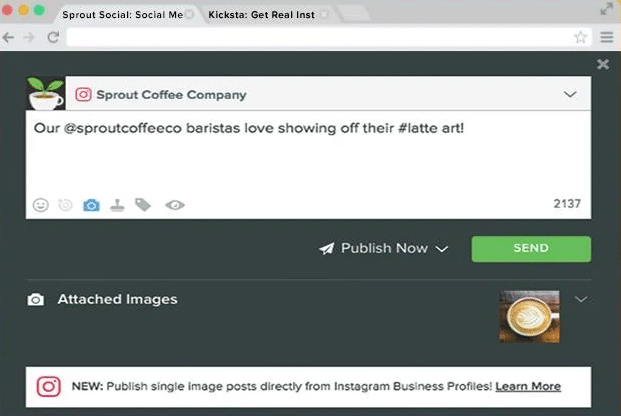
Some posts, like Reels or Stories with music or stickers, still need a reminder so you can finish them in the Instagram app. But most posts can now be published directly for you. Meta’s own Meta Business Suite also lets you create and schedule posts and Stories from your desktop or phone.
So the next time you’re editing photos or videos on your computer, you’ll save yourself time, energy, and headaches when you schedule your content ahead of time. You can rest assured knowing that your Instagram business account is ready to publish. Now, we certainly still recommend logging into your account to engage with your followers, and respond to the comments you get on your posts when you’re using Instagram for business! But scheduling in advance can help you create consistency, helping you get more followers on Instagram.
6. Manage Everything in Meta Business Suite
If your Instagram business account is connected to a Facebook Page, you can manage both from Meta Business Suite. It works on desktop and mobile, and it brings your posts, Stories, ads, messages, and insights for Facebook and Instagram into one place.
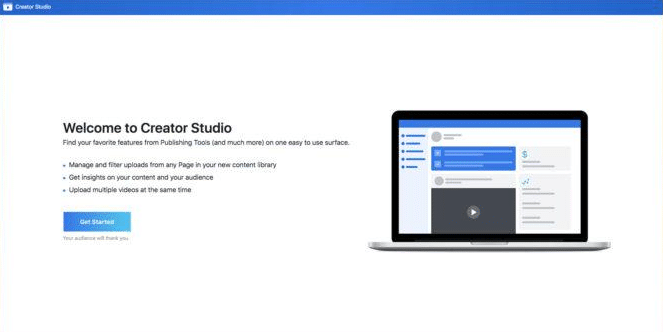
In Meta Business Suite, you get helpful insights to see how your content performs across Facebook and Instagram, and you can plan your posts and Stories ahead of time from a computer. That makes it easier to keep a consistent schedule and spot what’s working.
It’s also where you can create ads for both apps, so you don’t have to jump between tools when you want to promote a post that’s doing well.
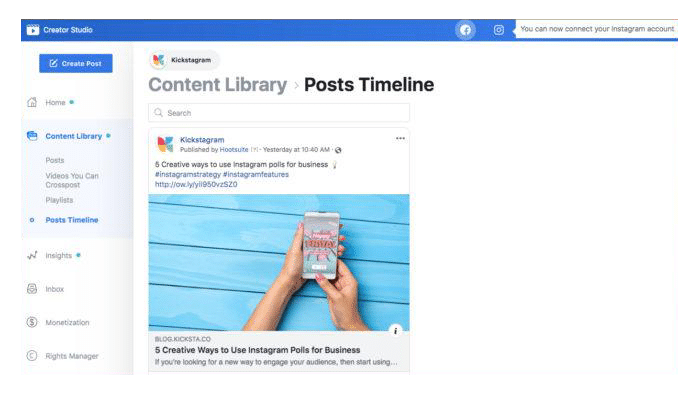
Meta Business Suite is not reserved just for big brands. Small businesses, bloggers, and other content creators can use it too, especially if you post to both Facebook and Instagram.
If you’re making video, our guide on how to create Instagram Reels is a good place to start.
“Meta Business Suite also brings your Instagram direct messages into one inbox with Facebook and Messenger. As a business, your DMs are worth their weight in gold.”
– Kicksta
7. Creating Shoppable Posts
If you are a product-based business, or even if you have any products to sell at all, you’ll want to take advantage of the shoppable posts options available to Instagram business accounts. With Instagram Shopping, you can tag products in your posts just like you would another Instagram account. These tags show your followers the product and take them to the product so they can buy it.
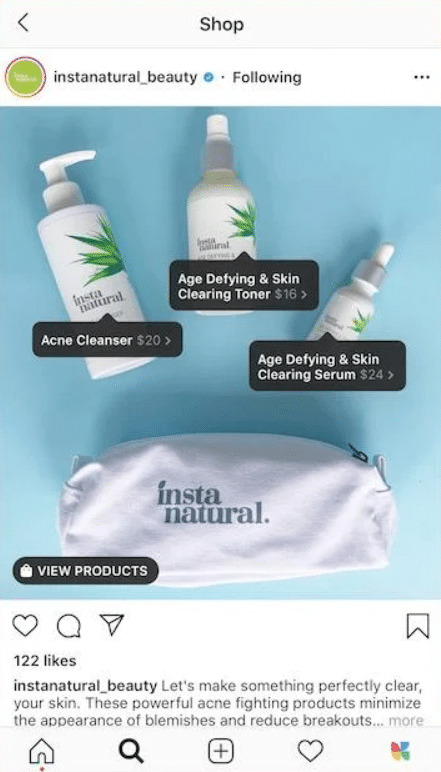
When someone buys from a Facebook or Instagram shop, the checkout takes place on your own website (source). That means you keep control of the checkout experience, and your store handles the payment.
Many Instagram users rely on the platform as a means of discovering new products. This means that any product-based brand using Instagram for business needs to be using that shopping tag to introduce their products to their followers and viewers at the best possible time. People are on the app to find their new favorite notebook, candle, or swimsuit. Make sure they realize you’re selling yours and you aren’t just showing a beautiful beach picture.
{{blog-cta-section}}
The Caveat
The caveat here is that you need to set up a shop with Meta and connect your products before you can tag them on Instagram. Once you have that ready to go, you’re only a few clicks away from sending your followers straight to your product pages.
8. Run Instagram Ads
I have a feeling you were waiting on us to add this as a reason. After all, ads are a great way to increase your Instagram growth, which we are all about here at Kicksta. We want to see you get more followers on Instagram, and ads are a great way to do that. When you’re using Instagram for business, you need to be prepared to spend some money on ads.
Instagram ads can really help you increase your reach by showing your posts to more of your target audience. There are so many different types of ads, from Reels ads, to Stories ads, to traditional photo and carousel ads in the feed. The best ads are carefully designed to blend into the timeline or set of stories. Because ads are becoming so common, many people don’t even mind seeing them anymore, as long as they don’t detract from their experience on the platform.
Ad Targeting
Inside your Instagram business account, you can set a budget and choose a specific demographic you want to see your ad. This is one of the most important parts: targeting. Instagram lets you get very specific about the audience you want to show your ad. Do your research before this step so you make sure that your Instagram ads are being shown to the right people.
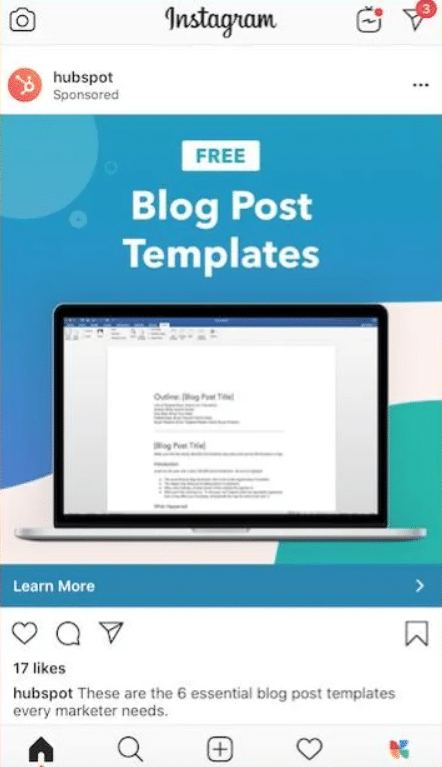
Once you’ve made those decisions, you set a budget and duration, review your ad, and launch it, right from your Instagram business account. For more advanced campaigns across Facebook and Instagram, you can use Ads Manager.
The ads we’ve been talking about are ads that you create specifically to be used as promotional. If you don’t want to do that, but you do want to reach more people, you can promote one of your existing posts. Let’s say one of your posts was incredibly popular with your audience. Your viewers left you lots of comments and you got more likes than you can remember. This indicates that your ideal Instagram followers liked that piece of content. If you’re looking to turn this into strong Instagram growth, you can simply promote that post so it can reach more people who could turn into Instagram followers and even customers.
How to Switch to a Business Account
So now that you know why you should have a business account, you may be wondering exactly how to switch over.
- Log into your personal account and tap your profile picture in the bottom right to pull up your profile.
- Tap the three lines in the top right corner to open your settings menu.
- Under the professional section, tap Account type and tools, then Switch to professional account:
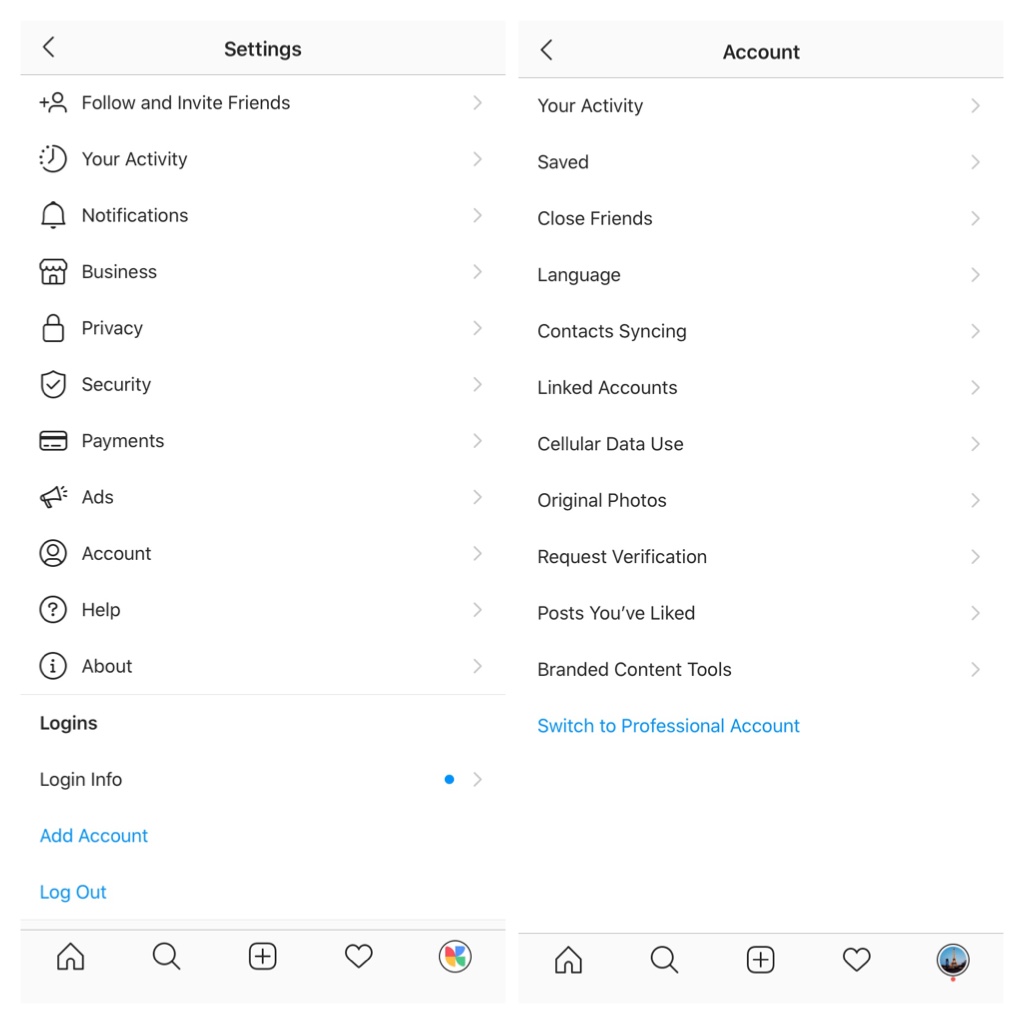
4. Choose a category that describes your business, then select Business. Congratulations, you are now a business account! Keep in mind that professional accounts can’t be private, so a private account becomes public when you switch. If you want to take it one step further, you can then connect your new Instagram business account to your Facebook Page.
Conclusion
Hopefully one of these eight tips resonated with you. If there’s another reason you converted to Instagram business account that we didn’t list here, or something you’ve found within the platform that you love, let us know! We’re always excited to learn about what you’re loving when you use Instagram for business. What Instagram business tools do you use most often?
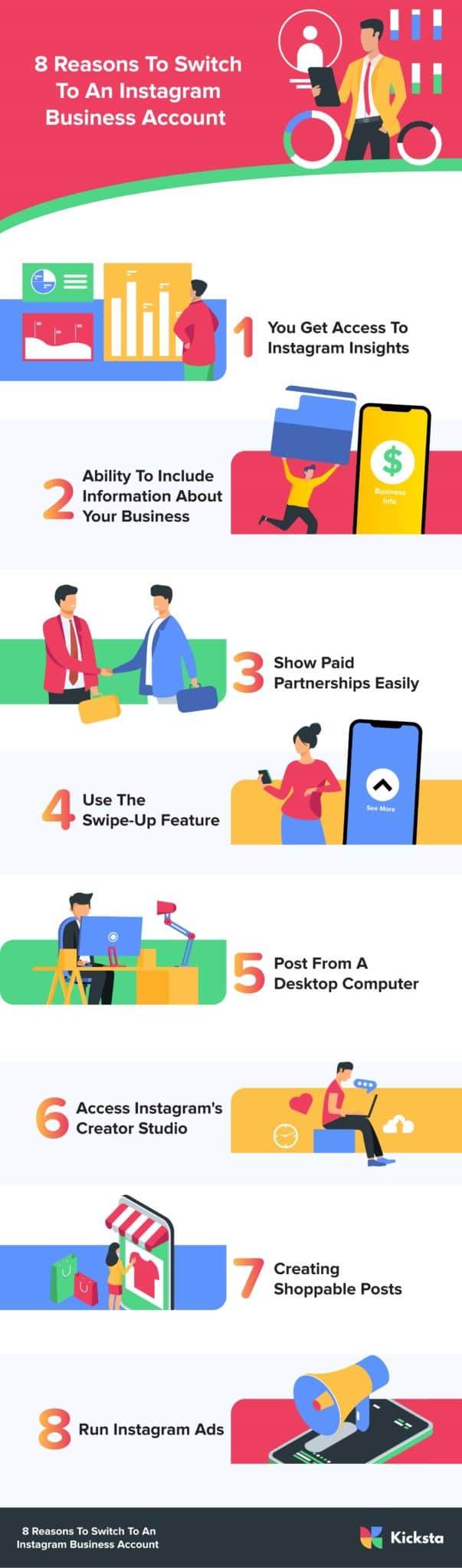
Here’s an infographic explaining why you should make the switch. Share on your website or social media!