6 Best Social Media Management Tools For B2b Saas Marketing Teams In 2026
.jpg)
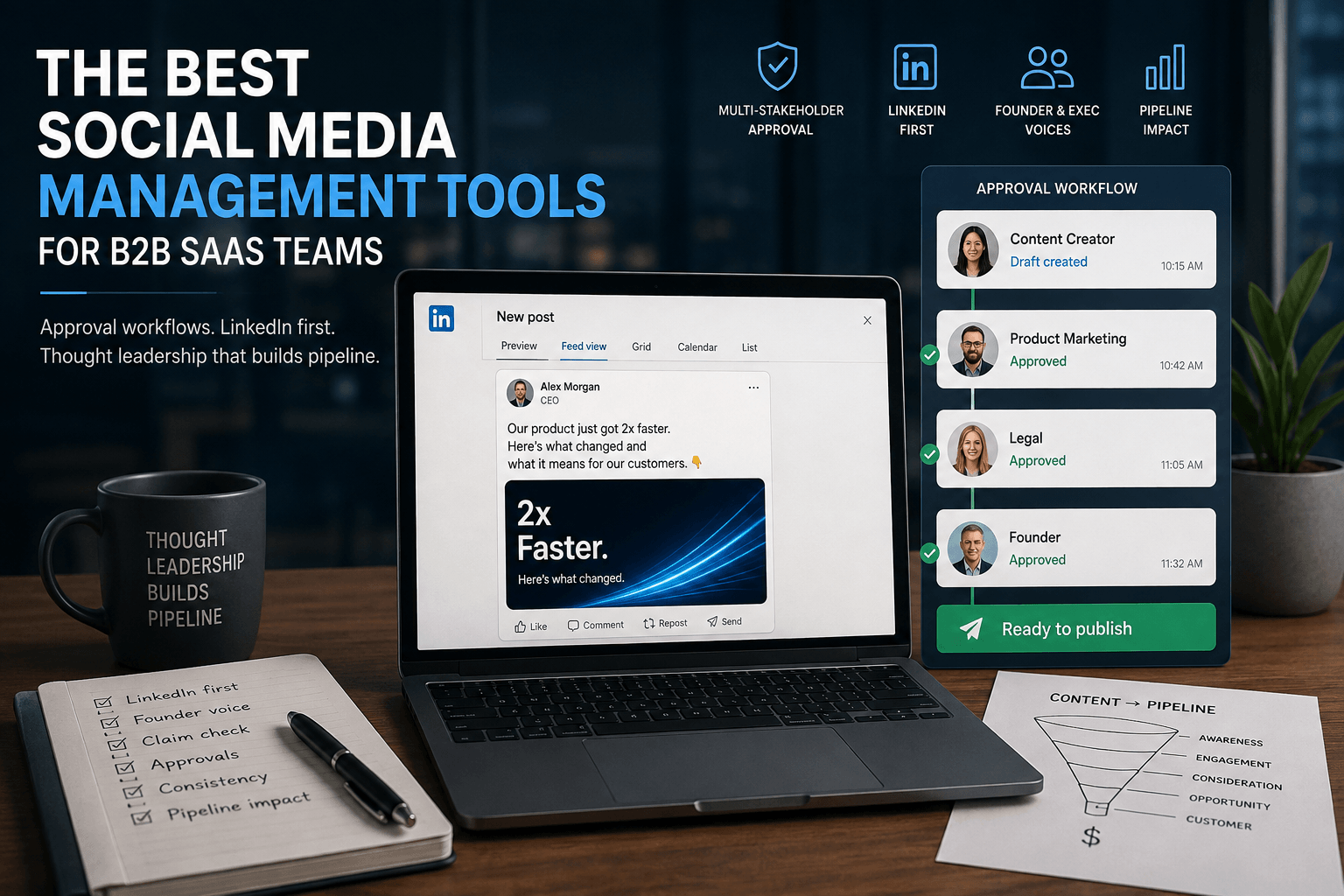
Early last year, a founder I worked with posted a benchmark claim on LinkedIn before product or legal had seen the number. It was off by a version. The walk-back took a follow-up post, three internal threads, and a week of the team fielding questions about a figure no one stood behind. Nobody was careless. The claim just moved faster than anyone who could check it.
That is the specific way B2B SaaS social breaks, and it is why choosing among the best social media management tools is less about scheduling than about who signs off before a post ships. After we rebuilt the workflow, every post cleared a defined path: a drafter, then product or legal on any claim, then publish. Last quarter that team shipped 78 LinkedIn posts, review settled at about six minutes each, and the thought-leadership cadence held through two launches. Zero walk-backs.
Consistency is a system, not a talent. For a SaaS marketing team, the system has to carry founder and exec voices, survive a claim check, and keep a LinkedIn-led calendar moving without the central team touching every draft. The table below maps six tools against that job; the decision guide at the end says where each one lands.
Why B2B SaaS social breaks differently
B2B SaaS social breaks differently because a post is often a product or market claim, not a broadcast. It has to clear product, legal, or founder review, run mostly on LinkedIn, and carry named human voices, all while a small team holds a weekly cadence. Scheduling is the easy part.
Two numbers explain why the channel and the review path outweigh the feature list. 84% of B2B marketers say LinkedIn delivers the best value of any organic social platform, Content Marketing Institute (2024), so a social media strategy for B2B that treats LinkedIn as one channel among many leaves most of the value on the table. And 55% of B2B decision-makers use an organization's thought leadership to decide whether to work with it, Edelman-LinkedIn (2025), so a founder post that ships wrong is not a typo, it is a trust cost.
A tool earns its place by handling what scheduling alone never touches:
- Multi-stakeholder approval, with product, legal, and founder sign-off in order, without stalling the weekly cadence
- LinkedIn-first previews and a reliable LinkedIn scheduling tool, since LinkedIn is the channel that actually moves B2B pipeline
- Coordinating founder and exec voices alongside employee-advocacy posts, so the team publishes as people, not a logo
- Content that doubles as blog, email, and thought-leadership, not social-only captions
- Consistency across a small central team that cannot touch every draft
- Tying published posts back to pipeline, not just likes and reach
We mapped the leading tools against those six needs, weighting approval depth and LinkedIn support over raw channel count, and kept the six that hold up.
{{blog-cta-section}}
1. Planable
Planable is the social media management tool built for the multi-stakeholder review a B2B SaaS post has to pass before it publishes.
Best for: SaaS marketing teams routing every post through product, legal, or founder review.
Standout: Four content views (feed, grid, calendar, list) render pixel-perfect LinkedIn previews before anything ships. Custom approval workflows (none, optional, mandatory, multi-level) let product, legal, and the founder sign off in order. Real-time comments, annotations, and text-suggestions keep every edit in one thread. Universal Content holds blogs, emails, and press releases, and Brand Context feeds on-brand AI.
Pros:
- Route a post past product, legal, and a founder with multi-level approval before it publishes
- Preview LinkedIn posts pixel-perfect, so a thought-leadership post looks right on the channel that drives B2B pipeline
- Keep internal comments invisible outside the team
- Hold thought-leadership and social in one place with Universal Content
Cons:
- Built for teams; solo creators won't use the approval layers
- Analytics and Social Inbox are paid add-ons
- Reports paid and organic performance but doesn't run ad campaigns
- Video publishing less flexible than dedicated video tools
Pricing: from $33/workspace/mo (billed annually; $39 month-to-month); Pro $49/workspace/mo (billed annually; $59 month-to-month); Analytics add-on $14/ws/mo.
Product: collaboration and approval workflow.
Why it works for B2B SaaS teams: A SaaS post is a claim, not a caption. Multi-level approval routes it past product and legal before it publishes, and pixel-perfect LinkedIn previews mean a thought-leadership post looks right on the channel that actually drives B2B pipeline, so governance and cadence stop competing for the same review hours.
Where it lands: When every post carries a product claim, the tool that wins is the one that makes review fast. Teams that moved approvals into Planable cut review to four minutes a post and held a two-a-day LinkedIn cadence through legal sign-off. That is the slide leadership reads.
2. Sprout Social
Sprout Social is the enterprise-grade suite B2B SaaS teams reach for when reporting has to survive a leadership review.
Best for: SaaS teams needing pipeline-grade reporting plus employee advocacy.
Standout: Presentation-ready analytics tie LinkedIn performance to the pipeline conversations leadership tracks. The Smart Inbox unifies comments and DMs across networks, social listening watches brand and competitor mentions, and the employee-advocacy layer turns exec and staff voices into one coordinated channel instead of scattered personal posting.
Pros:
- Report LinkedIn performance in presentation-ready dashboards
- Coordinate employee advocacy so exec and staff voices amplify one message
- Monitor brand and competitor mentions with built-in listening
Cons:
- Expensive and priced per seat, so teams scale steeply
- Advocacy and premium analytics gated to higher tiers
Pricing: Standard $199/seat/mo (billed annually); Essentials $79/seat/mo.
Why it works for B2B SaaS teams: Reporting depth ties LinkedIn performance to the pipeline conversations leadership tracks, so social stops being a vanity line in the board deck and becomes a number demand-gen can defend next to spend.
The data says: For a SaaS team measured against pipeline, the reporting is the product. Standard runs $199 a seat, so a five-person team clears $1,000 a month before advocacy is even included, but leadership gets numbers it trusts every quarter.
3. CoSchedule
CoSchedule brings marketing-calendar heritage to social, unifying blog, campaigns, and posts on one editorial calendar.
Best for: content-led SaaS teams running one editorial and social calendar.
Standout: One editorial calendar unifies blog, social, and campaigns, so a thought-leadership piece and the posts that promote it sit in the same view. ReQueue recycles top-performing posts to fill gaps automatically, keeping a LinkedIn cadence alive between big content drops without manual rescheduling.
Pros:
- Plan blog, social, and campaigns on one calendar
- Recycle top posts automatically with ReQueue
- Map social to the content engine that feeds it
Cons:
- Per-user pricing adds up for larger teams
- Thinner social analytics than a dedicated suite
Pricing: Social Calendar $19/user/mo (billed annually; $29 monthly).
Why it works for B2B SaaS teams: It keeps the content engine and social on one calendar, so thought-leadership ships on cadence and the posts that carry it never fall out of sync with the blog and campaign timeline.
Where it lands: For a content-led SaaS team, the calendar is the operating model. At $19 a user, a four-person team runs blog and social from one view, though deeper reporting means bolting on a separate analytics layer.
4. ContentStudio
ContentStudio pairs discovery, an AI Studio, and automation recipes for teams publishing thought leadership faster than they source it.
Best for: SaaS teams sourcing and repurposing thought-leadership content at volume.
Standout: Discovery surfaces trending articles and industry conversations, AI Studio turns them into drafts, and automation recipes (evergreen, RSS, bulk) keep the queue full. For a lean central team, it shortens the gap between finding a point of view and scheduling it.
Why it works for B2B SaaS teams: Discovery plus AI Studio feed a steady thought-leadership pipeline, so a two- or three-person SaaS content team keeps the LinkedIn calendar full without inventing every angle from a blank page each week.
Pros:
- Surface trending topics and industry sources for ideation
- Draft and repurpose posts through AI Studio
- Automate evergreen recycling, RSS, and bulk scheduling
- Publish across a dozen-plus networks
Cons:
- Inbox, competitor analytics, and approvals only from Advanced
- Publishing analytics less deep than reporting-first suites
Pricing: Standard from $19/month billed annually ($29 monthly), 5 accounts, one user; Advanced $49/month annually adds approvals.
The data says: sourcing is only half a system. Approvals sit behind the Advanced tier, so a team routing every claim past product or legal must budget for that step, not assume it.
5. Agorapulse
Agorapulse centers on a unified inbox with saved replies and social ROI reporting for comment- and DM-heavy teams.
Best for: SaaS teams fielding inbound LinkedIn comments and DMs who need ROI reporting.
Standout: Every inbound comment and message lands in one inbox, gets assigned to a named owner, and saved replies keep responses on-brand. ROI reporting ties activity to tracked revenue, so engagement becomes an assignable conversation, not a founder answering DMs alone.
Why it works for B2B SaaS teams: It turns LinkedIn inbound into tracked, assignable conversations tied to ROI, so a SaaS team answers prospects in one queue with an owner on each thread instead of across scattered personal inboxes.
Pros:
- Assign inbound comments and DMs to named owners
- Standardize responses with a shared saved-reply library
- Report social ROI against tracked revenue
- Coordinate the calendar with team assignment workflows
Cons:
- Per-user pricing climbs as the team grows
- Benchmarking and SSO sit on higher or custom tiers
Pricing: Standard $79/user/month billed annually ($99 monthly), 10 profiles included; Professional and Advanced add moderation and benchmarking.
Where it lands: inbound is where B2B trust is won, and an owner on every thread is a guardrail. Per-user pricing means a growing team should map seats before cost scales.
6. Sendible
Sendible manages many accounts from one place, with white-label reports and bulk scheduling that fills fields dynamically.
Best for: SaaS teams managing several product or regional handles who need clean, readable reports.
Standout: Sendible groups multiple product or regional handles into one dashboard, and branded reports pull each channel's numbers into a document a CMO reads without a walkthrough. Bulk scheduling with dynamic fields adapts one draft across every handle without rebuilding each post.
Why it works for B2B SaaS teams: It keeps several product or regional social handles organized under one roof, with reports leadership reads unaided, so a SaaS team running distinct feeds reviews performance in one document instead of stitching screenshots together monthly.
Pros:
- Manage several product or regional handles in one view
- Generate white-label, branded reports for leadership
- Bulk-schedule with dynamic fields across accounts
- Integrate Canva, cloud storage, and Google Business
Cons:
- UI feels dated next to newer rivals
- Approvals sit above the entry tier
Pricing: From about $29/month billed annually for a single-user set; higher tiers scale by workspaces.
The data says: a report leadership reads without translation is its own governance win. Confirm the tier first, since approvals, the step where off-brand posts get caught, sit above the entry plan.
Pick by where your SaaS social actually lives
The right tool follows where the work already happens. Match the branch to your operating model.
- If every post needs product, legal, or founder sign-off: Planable, the social media management tool built for multi-stakeholder review, so a claim clears the right people before it publishes.
- If pipeline-grade reporting and employee advocacy is the priority: Sprout Social, which pairs deep analytics with an advocacy layer your team can activate.
- If one editorial and social calendar is the goal: CoSchedule, where blog, campaign, and social sit on the same board.
- If sourcing and repurposing thought-leadership content at volume: ContentStudio, built around discovery and curation.
- If inbound LinkedIn engagement and ROI is the job: Agorapulse, with a unified inbox and ROI reporting.
The executive version: pick the tool that matches your review path, not your posting volume.
Frequently asked questions
What's the best social media management tool for a B2B SaaS marketing team?
Among the best social media management tools for a B2B SaaS marketing team, Planable is the strongest social media management tool because a SaaS post is a claim that product, legal, or a founder has to clear. Its multi-level approval routes each post through those reviewers in order, and LinkedIn previews confirm it looks right before publish.
How do you manage LinkedIn thought leadership and employee advocacy at scale?
Treat it as one pipeline, not scattered posting. Draft founder and exec pieces in a shared calendar, route them through review, then schedule with pixel-perfect LinkedIn previews so each post lands on-brand. Coordinate advocacy posts on the same cadence, not as freestyle. Consistency is a system, not a talent.
How do these tools handle approval from legal, product, and founders?
They differ sharply. Most offer a single approve step or none at all. Planable runs custom approval workflows per workspace: none, optional, mandatory, or multi-level, so legal, product, and a founder sign off in sequence. Real-time comments, annotations, and text-suggestions keep that review inside the post, not scattered across Slack threads.
Can a social media management tool tie social posts to pipeline?
Yes. Analytics plus disciplined UTM tagging connect a post to sessions, signups, and opportunities in your CRM. Planable's analytics cover both paid and organic performance across your channels, so the reporting reflects your full social program, and consistent UTMs let you trace which posts fed pipeline.