What Is Vanish Mode On Instagram: Everything You Need To Know


Vanish Mode on Instagram is a feature many users notice but do not fully understand. It allows messages to disappear after being seen, which can feel more private and casual. Since people use Instagram direct messages every day, it is important to know how this mode works and what it really offers for everyday conversations.
This article explains Vanish Mode clearly from start to finish. You will learn how it compares to unsending messages, when it should be used, and what limits it still has. Understanding these tools helps users feel more confident and make safer choices while chatting online.
What Is Vanish Mode On Instagram?
Vanish Mode on Instagram is a messaging feature that makes chats disappear after they are seen. When you use it, messages vanish automatically once the conversation is closed. This feature is part of Instagram direct messages, and it is designed for temporary and more private conversations between two people.
Vanish Mode is useful when you want casual chats that do not stay saved forever. It creates a lighter feeling for short conversations. However, it is still important to understand that disappearing messages do not always mean complete security or full privacy protection.
Definition and Purpose
Vanish Mode is a setting inside Instagram chat that allows messages to disappear after viewing. It was created to give users more privacy and control in conversations. The purpose is to support temporary communication that does not remain in the chat history permanently.
This feature is also part of wider Instagram updates that focus on privacy and user control. Instagram wants people to feel comfortable using messaging without everything staying stored forever, especially for quick personal exchanges.
Who Can Use Vanish Mode
Vanish Mode can be used by people who have Instagram accounts and are chatting in a one-on-one conversation. It does not work in group chats. Both users also need to have this feature available in their messaging settings.
It is available for personal accounts and also for an Instagram business account when messaging customers directly. However, businesses should use it carefully because disappearing chats may not be suitable for important customer communication.
Unsend Instagram Messages vs. Instagram Vanish Mode
Many people confuse unsending messages with Vanish Mode, but they work differently. Unsend is a manual action where you remove one specific message after sending it. Vanish Mode is an automatic setting that makes all messages disappear after viewing. Both tools relate to privacy, but they offer different levels of privacy control.
Understanding the difference helps users choose the right option for each situation. Unsend is useful when you make a mistake. Vanish Mode is useful for casual chats that you do not want saved. Knowing these features is part of learning important Instagram messaging behavior.
What Unsend Does
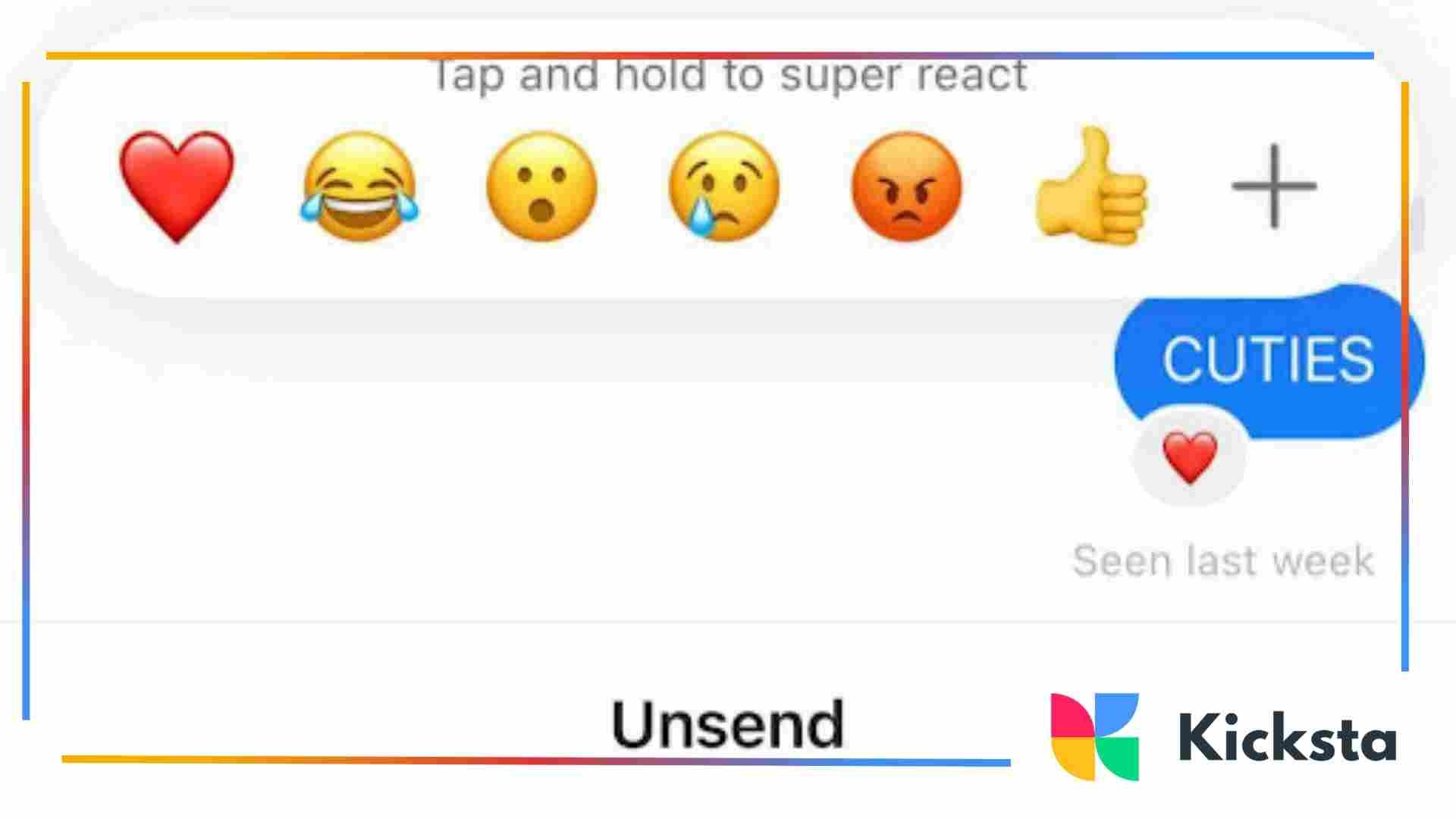
Unsend allows you to delete a message you already sent in a normal chat. When you unsend it, the message disappears from both sides of the conversation. This action is helpful if you send something by accident or regret what you wrote.
Unsend works inside normal chat history, and it does not change the whole conversation. It is a simple tool for correcting mistakes, not a full disappearing chat feature like Vanish Mode.
What Vanish Mode Does
Vanish Mode makes messages disappear automatically once they are seen and the chat is closed. It creates a temporary conversation space where messages do not remain stored in the thread like normal chats.
This feature supports safety and security tips for users who want more casual private messaging. However, it should not be seen as full protection, because screenshots and other methods can still capture content.
Key Differences
The key difference is that Unsend removes one message manually, while Vanish Mode removes all messages automatically after viewing. Unsend works in any normal chat. Vanish Mode only works when both users are in the disappearing chat mode.
Another difference is purpose. Unsend is for correcting mistakes. Vanish Mode is for temporary communication. Both are useful, but they serve different needs depending on the situation.
Why Use Vanish Mode On Instagram?
People use Vanish Mode because it adds more privacy to casual messaging. Many users do not want every conversation saved forever, especially for short personal chats. Vanish Mode helps create temporary communication that feels lighter. This connects to the wider Instagram privacy policy, which focuses on giving users more control.
Vanish Mode can make messaging feel more comfortable, but it should still be used wisely. It does not provide full security, and messages can still be captured. The feature works best when both people understand how it functions and what it can and cannot protect.
Privacy Benefits
Vanish Mode offers privacy benefits because messages disappear after viewing, reducing the chance of old chats staying stored. This can help users feel less worried about permanent message history in sensitive or casual conversations.
It can also help people save privacy from Instastalkers who may try to look through saved chat logs. However, privacy is limited because screenshots or other recording methods can still capture messages.
More Comfortable Casual Messaging
Casual messaging feels easier when messages do not stay forever. Vanish Mode supports quick conversations that do not need to be kept. This can reduce pressure and make chats feel more relaxed between friends or trusted contacts.
It also fits modern messaging habits where people want temporary communication. Many users prefer chats that disappear, similar to how stories work, because it feels less permanent.
Safe Chats
Safe chats are one reason people enjoy Vanish Mode, because the disappearing format encourages short, private exchanges. It can help users feel more comfortable sharing simple thoughts without long-term storage.
However, real safety still depends on trust. Vanish Mode is a tool, not full protection. Users should follow basic safety habits and avoid sharing anything risky, even in temporary chats.
{{blog-cta-section}}
When Should You Use Vanish Mode?
Vanish Mode should be used when you want a temporary chat that does not remain in the message history. It works best for casual conversations with someone you trust. Many users choose it for light discussions that do not need to be saved, especially during quick daily interactions.
This feature is helpful, but timing matters. Vanish Mode is not meant for serious conversations, important agreements, or business records. Understanding when to use it is part of learning Important Instagram features and using messaging tools responsibly.
Appropriate Situations
Appropriate situations include friendly chats, personal jokes, or short messages that do not need to be stored. Vanish Mode works well when both users agree and understand that messages will disappear.
It can also feel similar to how an Instagram story disappears after a short time. This temporary style supports casual communication that feels less permanent.
When Vanish Mode Is Not Recommended
Vanish Mode is not recommended for important discussions, work-related messages, or anything that may need proof later. Since messages disappear, it can create confusion or misunderstandings.
It is also not good for conversations with strangers or people you do not fully trust. Privacy does not equal safety, and disappearing chats should never replace careful online behavior.
{{blog-cta-section}}
How Does It Work?
Vanish Mode works by switching a normal Instagram chat into a disappearing message space. When turned on, messages, photos, and reactions vanish after they are seen and the chat is closed. This feature only works in one-on-one conversations, not group chats, and both users must support the mode.
The process is simple, but users should understand the limits. Vanish Mode does not prevent screenshots or outside recording. It only removes messages from the chat thread. Learning how it functions helps people use messaging tools with better awareness and responsibility.
How To Turn On Vanish Mode
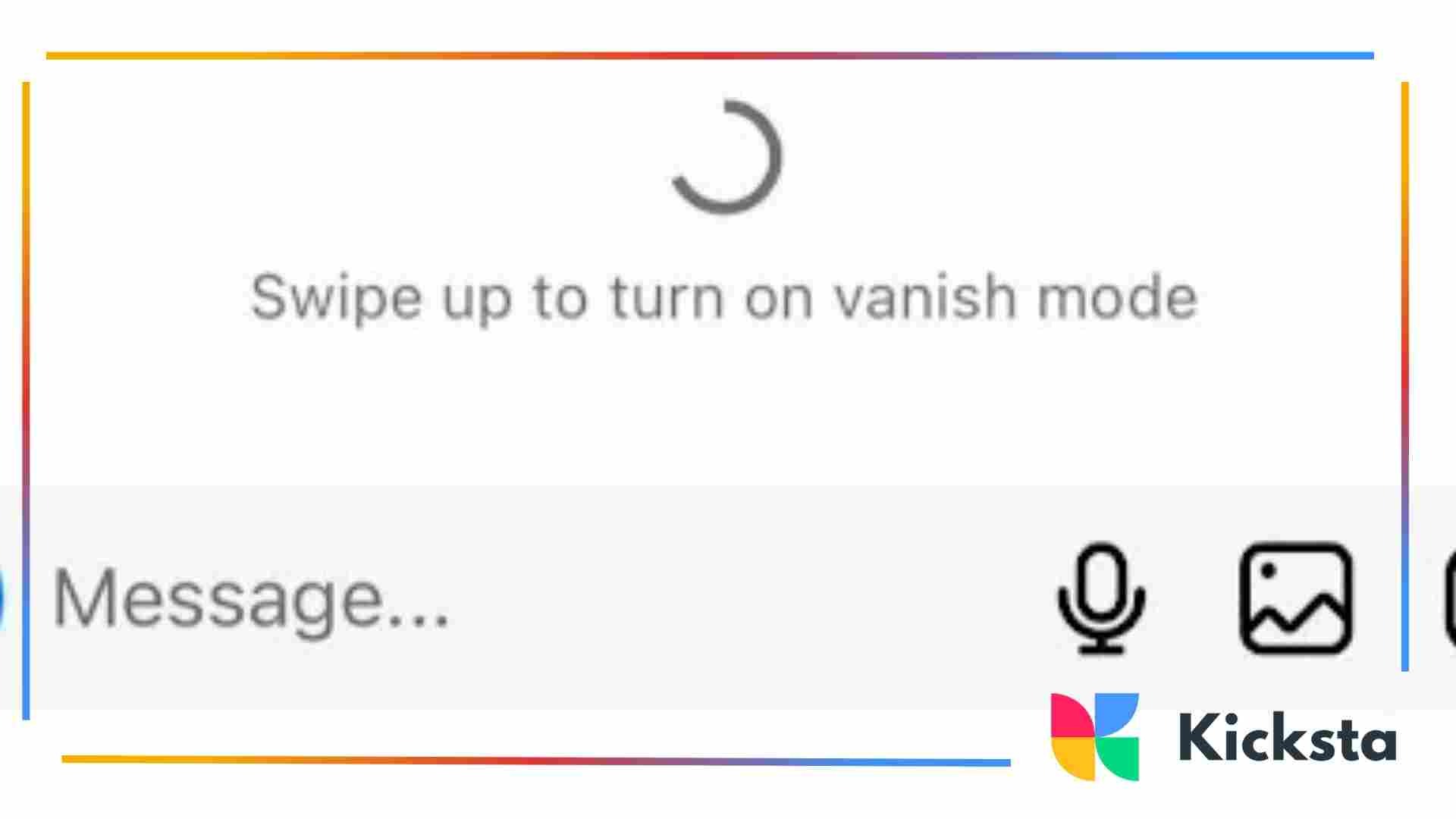
To turn on Vanish Mode, you open a direct message chat and swipe up from the bottom of the screen. Instagram will switch the chat into a darker theme, showing that disappearing messages are active. Both users will see that Vanish Mode has started.
Some people also use extra privacy steps, such as learning how to set up a VPN on iphone, for broader online safety. A reliable VPN can also help users bypass geo-restrictions with a VPN service, making it easier to access Instagram features or content that may not be available in every region. However, Vanish Mode itself is only a chat feature and does not provide full security protection
How To Turn Off Vanish Mode
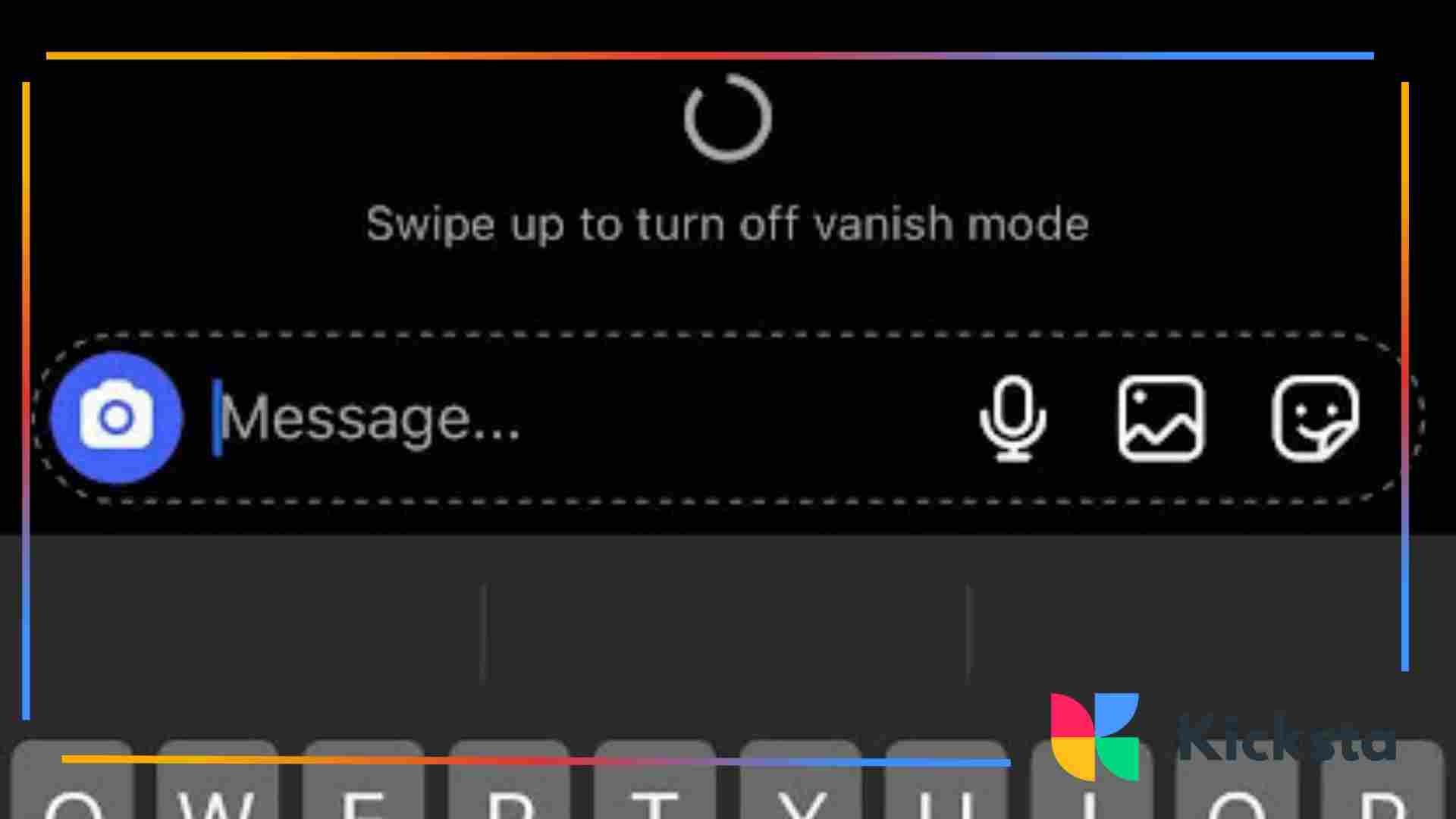
To turn off Vanish Mode, you swipe up again in the same chat. The screen returns to the normal chat appearance, and messages will no longer disappear automatically. This makes it easy to switch back and forth depending on the conversation.
Instagram also notifies both users when the mode is turned off. This ensures transparency in communication. Users should always be aware when the chat is temporary and when it has returned to normal message saving.
How To See Disappearing Messages
Disappearing messages in Vanish Mode can only be seen while the chat is open and active. Once you close the conversation, the messages vanish and cannot be viewed again inside the thread. This is why Vanish Mode feels temporary and different from normal saved chats.
Because messages disappear quickly, recovery is difficult. Instagram designed this feature to reduce permanent message history. Users should understand that disappearing does not mean invisible, and careful use is still important for online privacy.
Why Disappearing Messages Are Hard to Recover
Disappearing messages are hard to recover because Instagram removes them after viewing and closing the chat. There is no built-in archive or history feature for Vanish Mode. Once the message is gone, it is not meant to be brought back.
This is important for people using Instagram for business communication, especially in an Instagram for small business context. Temporary chats are not ideal for customer support or important records.
Use Another Camera To Take A Photo
Some users try to capture disappearing messages by using another device's camera to take a photo of the screen. This method avoids screenshot alerts but raises serious ethical concerns. It also breaks trust between people in the conversation.
Doing this is not recommended. Vanish Mode is meant for privacy, not secret recording. Respecting consent and responsible communication should always come first when using temporary messaging tools.
Limitations and Ethical Concerns
Using another camera may avoid detection, but it does not make the action right. Capturing private messages without permission can harm relationships and violate trust. Ethical behavior is more important than technical tricks.
Vanish Mode is designed for comfort, not for spying. Users should focus on safe communication habits rather than finding ways to bypass privacy expectations.
Take A Screenshot Or Screen Record
Taking a screenshot or screen recording in Vanish Mode is possible, but Instagram will notify the other person. This alert helps protect privacy and makes the feature more transparent. Screenshots create a permanent copy of a temporary conversation.
Because alerts exist, users should assume the other person will know. This is part of Instagram’s effort to keep privacy balanced with accountability in disappearing chats.
Instagram Screenshot Alerts Explained
Instagram sends alerts when someone captures the screen in Vanish Mode. This helps prevent secret saving of disappearing content and supports safer communication. Alerts remind users that the conversation is still sensitive, even if messages disappear.
This feature encourages responsible use. People should treat Vanish Mode chats with respect and avoid sharing anything they would not want saved or reported.
{{blog-cta-section}}
Read Messages Through Notifications Bar
Sometimes, disappearing messages can still appear briefly in the phone notification bar. If notifications are enabled, users may see part of the message preview before opening the chat. This can reveal content even though the chat is temporary.
However, notification previews are limited and not always complete. They depend on device settings and do not provide full message recovery. Users should not rely on this as a way to save disappearing conversations.
When Notifications Still Show Content
Notifications may show content when the message arrives, and the phone is unlocked. This is because the system displays previews automatically. Once cleared, the preview disappears and cannot usually be accessed again.
This shows that Vanish Mode is not perfect privacy. Users should adjust notification settings if they want stronger protection from message previews appearing on the lock screen.
Check Messages Through Mail
Some Instagram accounts send email notifications for new messages or security activity. In rare cases, message previews may appear in connected email alerts depending on account settings and notification preferences.
Users should check email settings carefully. Temporary messages are not always fully hidden if alerts are enabled. Understanding these settings helps manage privacy more effectively.
Email Alerts and Account Settings
Email alerts can sometimes show notification information even when messages disappear inside the app. This depends on what settings the user has enabled for account activity. Users should review privacy and notification preferences regularly.
Adjusting alert settings helps avoid unexpected previews. Vanish Mode works best when combined with careful account management and awareness of external notifications.
Things To Keep In Mind When Using Vanish Mode
When using Vanish Mode, it is important to remember that disappearing messages do not guarantee full security. The feature removes messages from the chat, but it does not stop someone from saving content in other ways. Users should always treat temporary chats with caution and awareness.
Vanish Mode is helpful for casual privacy, but it is not a complete safety tool. Understanding limits protects users from false confidence. Responsible messaging habits matter more than any disappearing feature, especially as Instagram continues to release new privacy-focused updates.
Privacy Does Not Mean Full Security
Privacy does not mean full security because messages can still be captured with screenshots, cameras, or notifications. Vanish Mode only changes message storage inside the app. It does not prevent outside saving or guarantee secrecy.
This is why users should still follow safe online habits. Temporary chats can feel relaxed, but sensitive information should never be shared carelessly, even in disappearing mode.
If You Take A Screenshot, The Sender Will Be Notified
If you take a screenshot in Vanish Mode, Instagram notifies the other person immediately. This alert system helps protect users from silent saving of private messages and supports transparency in temporary chats.
This notification rule encourages respectful behavior. People should not screenshot disappearing conversations without consent. Vanish Mode is meant for comfort, not for secret recording or misuse.
Vanish Mode Only Works For One-On-One Messages
Vanish Mode only works in one-on-one chats, not in group conversations. This limitation exists because disappearing messages are designed for private interactions between two people, where trust and clarity are easier to manage.
Group chats would create confusion and risk. For this reason, Vanish Mode stays limited to direct conversations, helping keep the feature simple and controlled.
Reporting and Blocking Still Works
Reporting and blocking still work even in Vanish Mode. If someone sends inappropriate content, users can still report the account or block them. Disappearing messages do not remove Instagram’s safety tools or user protections.
This is an important part of responsible messaging. Vanish Mode is not a loophole for harmful behavior. Instagram still enforces community rules and supports user safety.
Does Vanish Mode Delete Messages On Both Sides?
Yes, Vanish Mode deletes messages on both sides after they are seen and the chat is closed. The disappearing happens automatically, which means neither person can scroll back later to find the messages again. This is what makes Vanish Mode different from normal saved conversations.
However, deletion only applies inside the Instagram chat thread. It does not stop someone from capturing the message with a screenshot or another device. Users should still be careful, because disappearing does not always mean being fully protected.
Can The Other Person Know When You Turn On Vanish Mode?
Yes, the other person always knows when Vanish Mode is turned on. Instagram changes the chat appearance and shows a notice that Vanish Mode is active. This keeps communication transparent and prevents secret disappearing conversations from starting without awareness.
Both users also see when Vanish Mode is turned off. This feature supports clearer consent. Vanish Mode is meant to be mutual, so Instagram makes sure both sides understand the chat setting.
Does Vanish Mode Delete All Your Messages?
No, Vanish Mode does not delete all your past Instagram messages. It only affects messages sent while Vanish Mode is active. Older messages outside of Vanish Mode remain saved in the normal chat history.
This means Vanish Mode is not a full chat cleaner. It is only a temporary mode for specific conversations. Users should not assume that turning it on removes everything from their message history.
Conclusion
Vanish Mode can be useful for short and temporary conversations, but it should never be seen as complete security. Messages disappear inside the chat, but screenshots, cameras, and notifications can still expose content. This is why strong privacy control matters more than relying on one disappearing feature for protection.
Instagram continues to introduce features that support safer communication and user comfort. Learning these options, along with basic online awareness and smart safety security tips, helps people protect themselves and avoid misunderstandings. Vanish Mode works best when used with trust, clear consent, and realistic expectations about its limits.







.jpg)